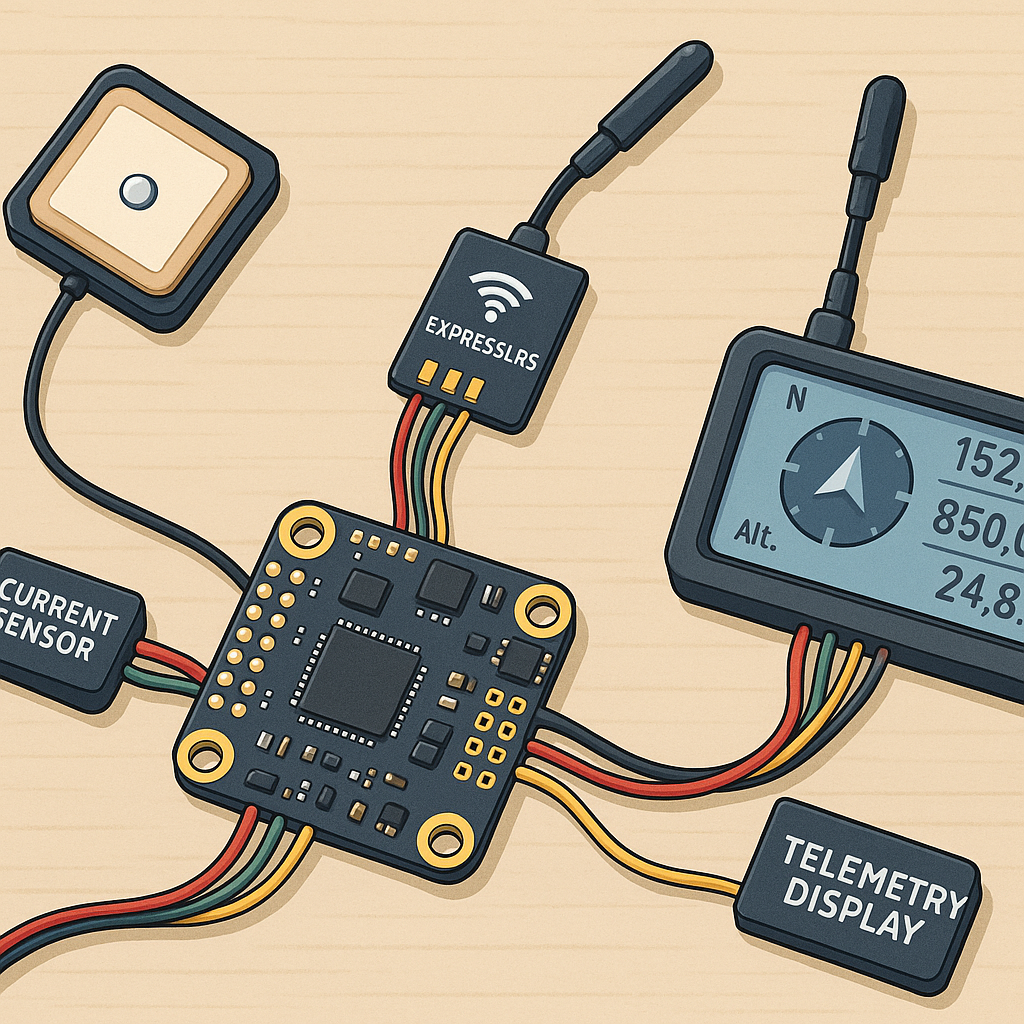
Troubleshooting Telemetry Systems for Hobbyists: GPS, ELRS, MSP, Current Sensors and Blackbox Logs
Telemetry is the nervous system of modern hobby aircraft and vehicles, and problems with it can be frustrating to track down. This guide walks through practical checks for the main telemetry components you are likely to use: GPS modules, ExpressLRS backchannels, MSP links, current sensors and Blackbox diagnostics. Each section focuses on symptoms, likely causes and straightforward fixes that you can apply in the workshop or at the field.
If your GPS is not locking or it reports wildly incorrect positions, start with the simple hardware checks and work up to configuration changes. Verify the antenna is the correct type and free from metal shielding and ensure the connector solder joints and leads are solid. Confirm the UART is set to the right baud rate and protocol in your flight controller software, and that the GPS is outputting a compatible message set, such as UBX or NMEA at the expected rate. For intermittent lock issues consider moving the GPS to a higher, cleaner mounting position and check for RF noise from video transmitters or ESCs that can upset reception.
ExpressLRS telemetry problems often present as missing telemetry on the transmitter, or the receiver not sending sensors back to the model. First check you are using a firmware build that includes telemetry support and that the receiver is configured to enable the backchannel on the correct CRSF UART. Confirm the flight controller UART used by ELRS is assigned and not shared or clashing with MSP or an OSD, and that the baud and inverter settings match what the receiver expects. If telemetry appears intermittently, try lowering TX power temporarily to see if congestion or interference is the cause and ensure the antenna orientation and antenna leads are intact.
MSP (MultiWii Serial Protocol) issues usually show up as missing OSD data, wrong OSD fields or configuration interfaces that do not communicate with the board. Check that MSP is enabled in Betaflight or your chosen firmware and that the correct serial port is selected for the OSD or telemetry bridge. Many problems arise from inversion requirements on older OSD boards or from using the same UART for different services, so move one service to another UART or use a softserial if needed. If values are present but incorrect, review frame rates and ensure the FC is not overloaded by logging or high loop rates which can starve MSP of bandwidth.
Current sensor faults typically manifest as flatlined amps, negative readings, or wildly fluctuating values during throttle changes. Begin by verifying the sensor wiring and orientation and confirm the sense resistor is in the correct leg of the power feed. Check the calibration value in your flight controller and compare it with a bench ammeter to compute an adjustment factor, and watch out for sensors that require a stable VCC reference or have known temperature drift. If you see spikes, add a small capacitor across the sensor power supply or enable filtering in firmware to smooth pulses from ESC telemetry and avoid false overcurrent events.
Blackbox logs are one of the most powerful tools to diagnose telemetry faults because they show what the FC actually saw during flight and when errors occurred. Record a few short flights with telemetry features enabled and examine the logs in Blackbox Explorer for gaps in sensor streams, sudden ADC jumps for current or GPS data, and UART error counters which can indicate framing or baud mismatches. Cross‑reference timestamps where telemetry stops with RSSI drops or GPS fixes to pinpoint whether the problem is RF, wiring or software, and for wiring diagrams and example configurations see my site at WatDaFeck to speed up repairs and improve reliability.
Follow me on: Facebook: https://www.facebook.com/watdafeck3d · Instagram: https://www.instagram.com/watdafeck3d/.
Comments
Post a Comment